
Word to PDF for legal documents and court submissions
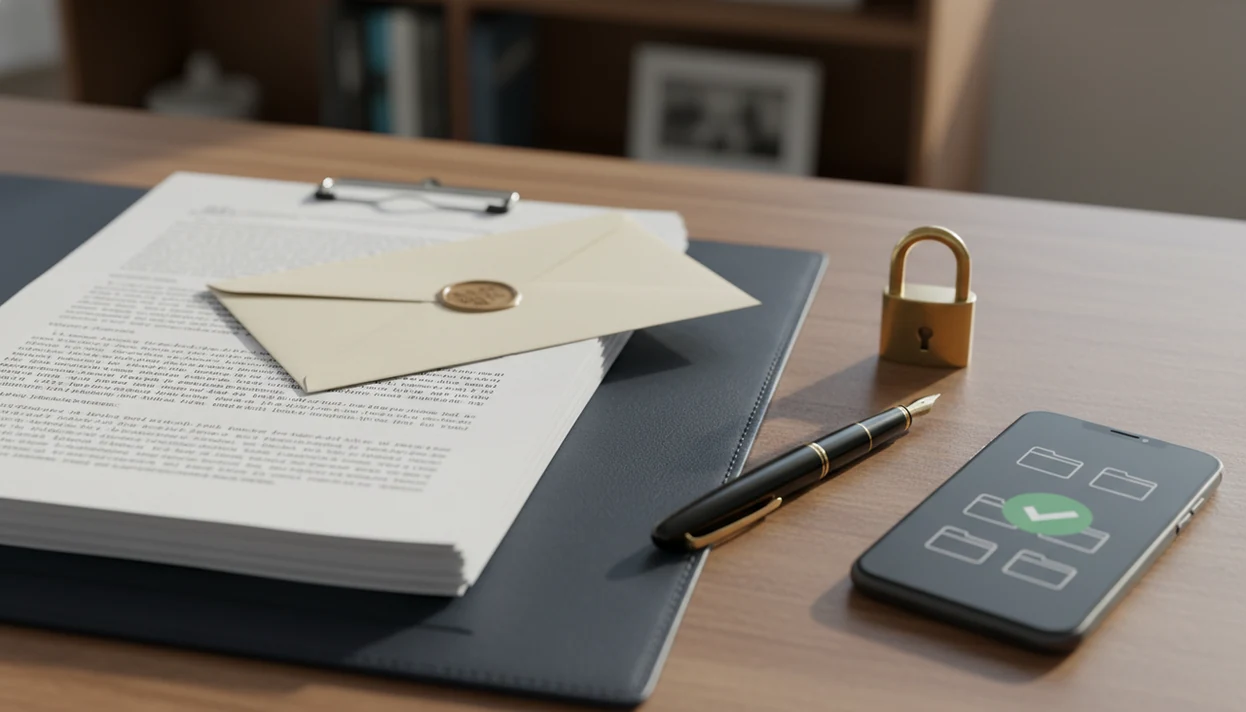
Word to PDF for legal documents means converting a legal DOCX into a stable, shareable PDF while checking layout, privacy, file size, signatures, and the receiving portal’s rules. The conversion itself is document preparation, not legal advice, so the final PDF still needs to be reviewed against the court, agency, lawyer, or recipient’s technical requirements.
Scope: This guide covers document-preparation checks for converting Word or DOCX legal files into PDFs on iPhone, Android, or desktop. It is not legal advice and does not determine whether a filing is legally valid, timely, properly served, or accepted by a court.
TL;DR
- Many court and filing systems require PDF rather than Word or DOCX, so conversion is often a technical submission step.
- A legal DOCX to PDF workflow should include a final review of page breaks, fonts, signatures, exhibits, comments, tracked changes, and file size.
- A court upload PDF is not automatically legally correct, PDF/A-compliant, confidential, or accepted by every portal.
Legal DOCX to PDF conversion at a glance
Legal DOCX to PDF conversion is the process of turning contracts, pleadings, motions, forms, exhibits, and other legal drafts into fixed PDF files for sharing or upload. Many court and government systems expect PDF files, but each portal can set its own technical rules.
The safest check is not just “does it open?” Review layout, page numbers, signature blocks, exhibit labels, comments, tracked changes, metadata, file size, and privacy before sending. We often compare the Word file and PDF side by side to catch a shifted page break before anyone else sees it.
A PDF format change does not make a legal document valid, enforceable, timely, properly served, or compliant with local rules.
For legal documents, Word to PDF conversion is a file-preparation step, not a substitute for legal review.
Five facts about Word to PDF for legal documents
- Many e-filing systems accept PDF and reject Word or DOCX uploads, so conversion may be required before filing.
- Formatting preservation matters because page breaks, line numbers, signatures, and exhibit references may be relied on by clerks, lawyers, judges, or clients.
- Mobile conversion is common, but important filings should be checked in more than one viewer when time allows.
- Tracked changes, comments, hidden text, and metadata should be cleaned before conversion, especially for confidential drafts.
- Court rules may require PDF/A, maximum file size, margins, searchable text, bookmarks, page size, or separate exhibit uploads.
The small details matter here. A recruiter asking for “PDF only” is annoying; a filing portal rejecting a motion at 4:55 p.m. is worse.
People preparing invoices or contracts outside court may also need a similar final-file process; our Word to PDF for business documents guide covers that non-court workflow.
Word to PDF rendering for legal DOCX files
Word to PDF rendering converts a Word document’s text, images, fonts, margins, headers, footers, and page breaks into fixed PDF pages. In plain terms, the converter tries to freeze the document so the recipient sees the same page structure.
The PDF may still look different if a font is unavailable, an object is embedded oddly, or the converter interprets spacing differently. This is why line numbers and signature blocks deserve a zoomed-in layout check. A table that looked fine in Word can gain one extra line and push a signature page forward.
Mobile Word-to-PDF apps use the same basic rendering idea as print-to-PDF workflows: open, render, export, then save or share. Depending on settings, the PDF can still contain metadata, selectable text, images, links, bookmarks, and other objects.
A converter can create a dependable exported PDF, but it cannot validate legal sufficiency, filing rules, service requirements, signatures, redactions, or court-specific compliance.
Court upload PDF requirements that affect acceptance
The U.S. federal courts’ CM/ECF system requires documents to be in PDF format for electronic filing, according to its public filing materials. source That does not mean every PDF will be accepted by every court.
Common court upload PDF rules include file size limits, page size, margin rules, searchable text, PDF/A, flattened content, bookmarks, and separate exhibit uploads. Some portals also reject scanned image-only files when searchable text is required. Others care most about size and page orientation.
Check the official portal instructions before upload instead of relying on a generic converter result. The rules vary by jurisdiction, court, agency, and case type. Attorneys typically recommend following the current filing instructions for the specific court or agency, not a general PDF checklist.
The portal has the final say.
For a court upload PDF, the safest workflow is to convert, inspect, compress or split if needed, and then test against the exact portal requirements.
Mobile Word to PDF app checks for iPhone and Android
Mobile Word to PDF conversion matters because many people now prepare, review, or send documents from phones. A 2019 Pew Research Center survey found that 81% of U.S. adults owned a smartphone, which helps explain why legal document handling often happens on iPhone or Android source.
On iPhone, open the converted PDF in Files preview before sending. On Android, check the exported file from the Downloads folder or your chosen PDF viewer. Zoom in on line numbers, page numbers, signature blocks, exhibit labels, headers, footers, and tables.
A trusted converter can help with the export step, but the layout, privacy, and portal review still belong to you. For a lighter hiring workflow, the same phone-based checks apply to Word to PDF for resume uploads, where formatting matters but court rules usually do not.
Very large legal files with photos, scans, or exhibits may perform better when split or checked on desktop.
Privacy checks before converting a legal DOCX to PDF
Do not upload sensitive legal files to unknown free converter websites without checking where the file goes and how it is handled. Confidential drafts, privileged notes, settlement terms, and client names need more care than a public flyer.
Comments, tracked changes, author names, hidden text, prior edits, and metadata can remain visible or discoverable after export. Before conversion, accept or reject tracked changes, delete comments, inspect document properties, and save a clean copy. Then convert the clean copy, not the working draft.
Visual redaction in Word is not secure redaction. A black box over text may look hidden, but the underlying words can still exist in the file or an earlier version. Keep this workflow focused on conversion, not e-signature, legal redaction, or general PDF editing.
The pocket check is real. Before sending, open the share sheet over the document preview and confirm the attachment is the PDF, not the DOCX.
Common myths about court upload PDF files
Myth 1: If it opens on my phone, the court will accept it. A file can open locally and still fail portal rules for size, format, bookmarks, or searchable text.
Myth 2: Any online converter is safe for legal documents. Unknown converters can create privacy risks, especially for confidential or privileged files.
Myth 3: Saving as PDF always preserves the exact layout. Fonts, margins, page breaks, and tables can shift. We have seen a signature line move after conversion even when the DOCX looked ordinary.
Myth 4: A PDF cannot be edited or changed. PDFs can be edited, annotated, compressed, extracted, or mishandled.
Myth 5: PDF export automatically creates PDF/A or a certified court-ready file. A standard PDF export is not the same as validated archival conformance.
If you need practical phone workflows for client documents rather than court filings, Word to PDF for freelancers sending covers those handoff checks.
PDF/A preservation rules for legal PDFs
PDF/A is an archival PDF standard intended for long-term preservation, not just everyday sharing. It limits certain PDF features so records remain more stable over time.
NARA endorses PDF/A as a preferred format for long-term preservation of electronic records, which is why some legal, government, or records workflows mention it specifically source. That does not mean every court filing needs PDF/A.
A basic mobile PDF export is often not the same as validated PDF/A. If a court, agency, or recipient requires PDF/A, check the required conformance level and validation process. The difference is technical, but it can affect acceptance.
For students submitting forms or school legal paperwork, the simpler checklist in Word to PDF for students submitting may be enough unless the portal says otherwise.
When to get legal or court-clerk help
Get help when the question is about rules, rights, timing, or acceptance rather than the mechanics of making a PDF. A converter can prepare the file format, but it cannot tell you whether the filing is procedurally correct.
Use this decision path before you upload or send a legal PDF:
- Ask the court clerk or filing-support contact about portal details such as allowed PDF type, maximum size, naming rules, exhibit uploads, and upload errors.
- Contact a lawyer when the issue involves deadlines, service, signatures, redactions, confidentiality, jurisdiction, or the legal effect of what you are filing.
- Compare any converter warning, app setting, or general checklist against the official court or agency instructions for that specific matter.
- Follow the official instructions when requirements conflict, even if another guide or tool suggests a different PDF setting.
- Pause before filing if you are unsure whether the document is complete, timely, properly signed, or properly served.
The practical rule is simple: use conversion software for the file, the clerk for portal mechanics, and qualified legal help for legal consequences.
Limitations
Word to PDF conversion has real limits, especially for legal files:
- Conversion does not make legal content correct, enforceable, timely, properly served, or procedurally compliant.
- A mobile converter may struggle with very large files, many exhibits, embedded objects, unusual fonts, or complex tables.
- A basic PDF may not satisfy PDF/A, certification, digital signature, bookmarking, accessibility, or searchable-text requirements.
- Digital signatures or visual signature blocks may not meet jurisdiction-specific electronic signature rules.
- On-device preview can miss missing fonts, metadata, oversized file size, or portal-specific rejection issues.
- Visual redaction in Word or PDF preview should not be treated as secure legal redaction.
- Portal rules can change, and older instructions may no longer match the current filing system.
When requirements are unclear, consult official filing instructions or qualified legal help. WordPDF can support the format conversion step, but it cannot interpret filing rules or legal consequences.
FAQ
Can courts accept Word files for e-filing?
Many courts require PDF rather than Word or DOCX for e-filing. Check the specific court, agency, or portal rules before upload.
What is a court upload PDF?
A court upload PDF is a PDF prepared to meet an e-filing portal’s technical requirements. Those requirements may include format, file size, page size, searchable text, bookmarks, or PDF/A.
Can PDF conversion change legal document formatting?
Yes, PDF conversion can shift page breaks, fonts, tables, line numbers, or signature placement. Review the exported PDF before filing or sending.
Should I remove tracked changes before converting to PDF?
Yes, legal DOCX files should usually be cleaned before conversion. Accept or reject tracked changes, delete comments, and inspect document properties first.
Can I convert legal files to PDF on iPhone?
Yes, you can convert legal files to PDF on iPhone using Word export, print-to-PDF, Files workflows, or apps such as WordPDF. Check layout, signatures, and file size before upload.
Can I convert legal files to PDF on Android?
Yes, Android users can convert legal DOCX files to PDF through Word export, print options, Google Drive workflows, or WordPDF. Open the PDF afterward and review the same formatting and privacy details.
Do courts require PDF/A for legal filings?
Some courts or agencies may require PDF/A, but requirements vary by jurisdiction and portal. A normal PDF export is not automatically PDF/A.
Are online converters safe for confidential legal documents?
Unknown online converters can create privacy risks for confidential or privileged legal files. Use a trusted workflow and avoid uploading sensitive drafts unless you understand the service’s handling practices.
Does saving a document as PDF make it legally final?
No, saving as PDF makes sharing and layout more stable, but it does not make the content legally final or valid. This page is document-preparation guidance, not legal advice.